
Home › Reports › 15-Year Day Book
Reports from your Tally data
15-Year Day Book. Every entry. One screen.
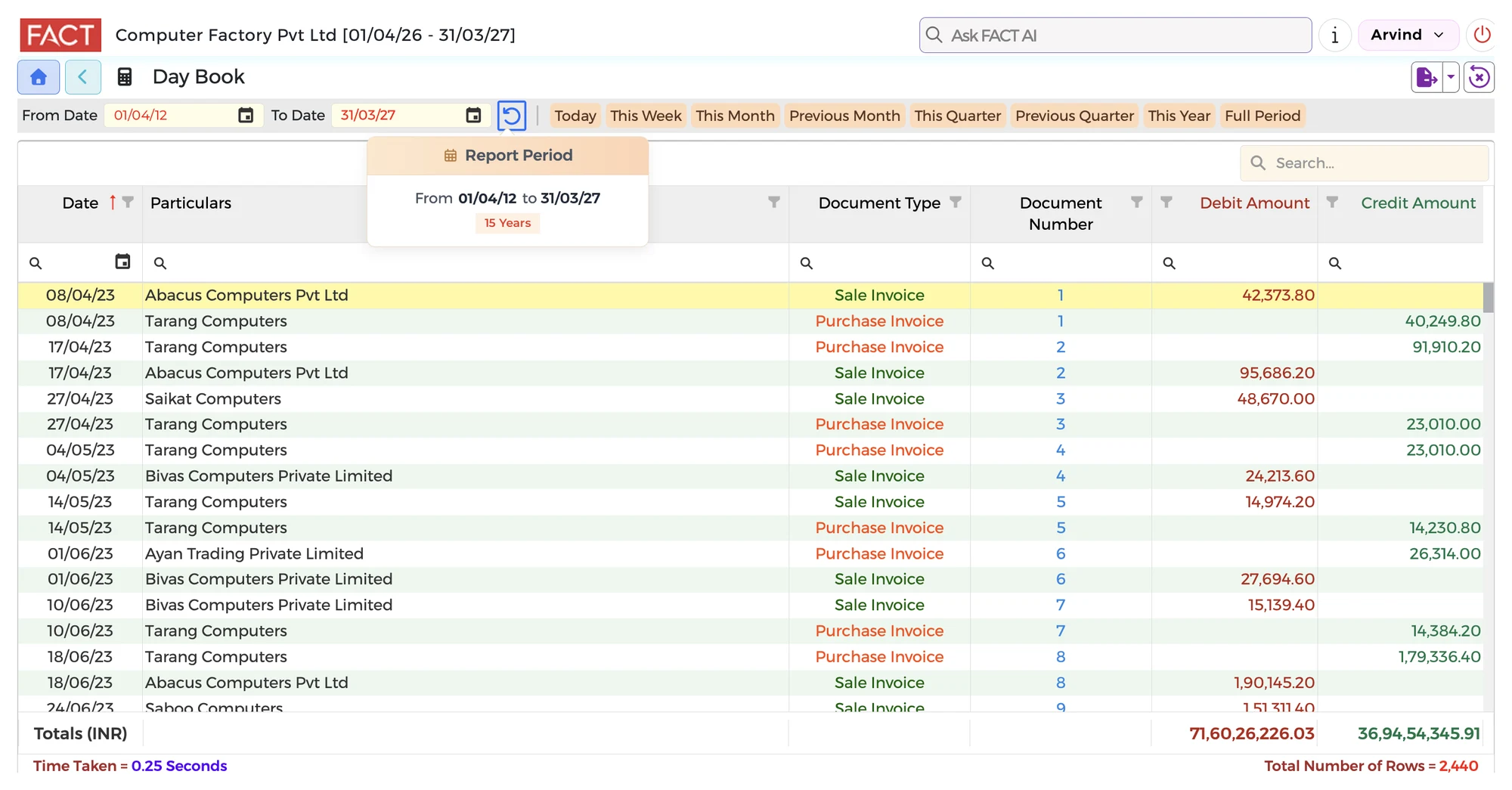
Open the Day Book for any period, for up to 15 years of data. Search, sort and filter by date, party, document type or amount.
What you can check
- See every entry for the period you choose
- Pick a period quickly: today, this week, this month, this quarter, this year or the full period
- Search and filter by date, party, document type, document number or amount
- See the total debit and credit amounts for the period
- Drill Down from an entry to the document
On the example screen, the Day Book lists Sale and Purchase Invoices with their dates, parties, document numbers and amounts, and shows the totals at the bottom. It lists Payment & Receipt Vouchers, Debit & Credit Notes and other transactions. You can do so much in this one screen itself.
Questions it answers
- How many years can I see?
- Up to 15 years of data, on the same screen.
- Can I find one entry quickly?
- Yes. Search the list, or filter by date, party, document type, document number or amount.
- Do I have to enter anything again?
- No. Keep using Tally. CXO Control Tower imports the data from Tally automatically.
Go live in minutes
- Create your accountSign up and add your credit card.
- Find your TallyTell us the Fixed IP where Tally is installed.
- Choose your companySelect your company from the list. The system loads your data automatically.
No customisation. No setup. No IT Specialist needed. You keep using Tally for your accounts. ₹5,000 per month for one company and up to 50 users.