
Home › Tally Dashboard
The plug-and-play Tally dashboard. Your Tally data. A CXO view.
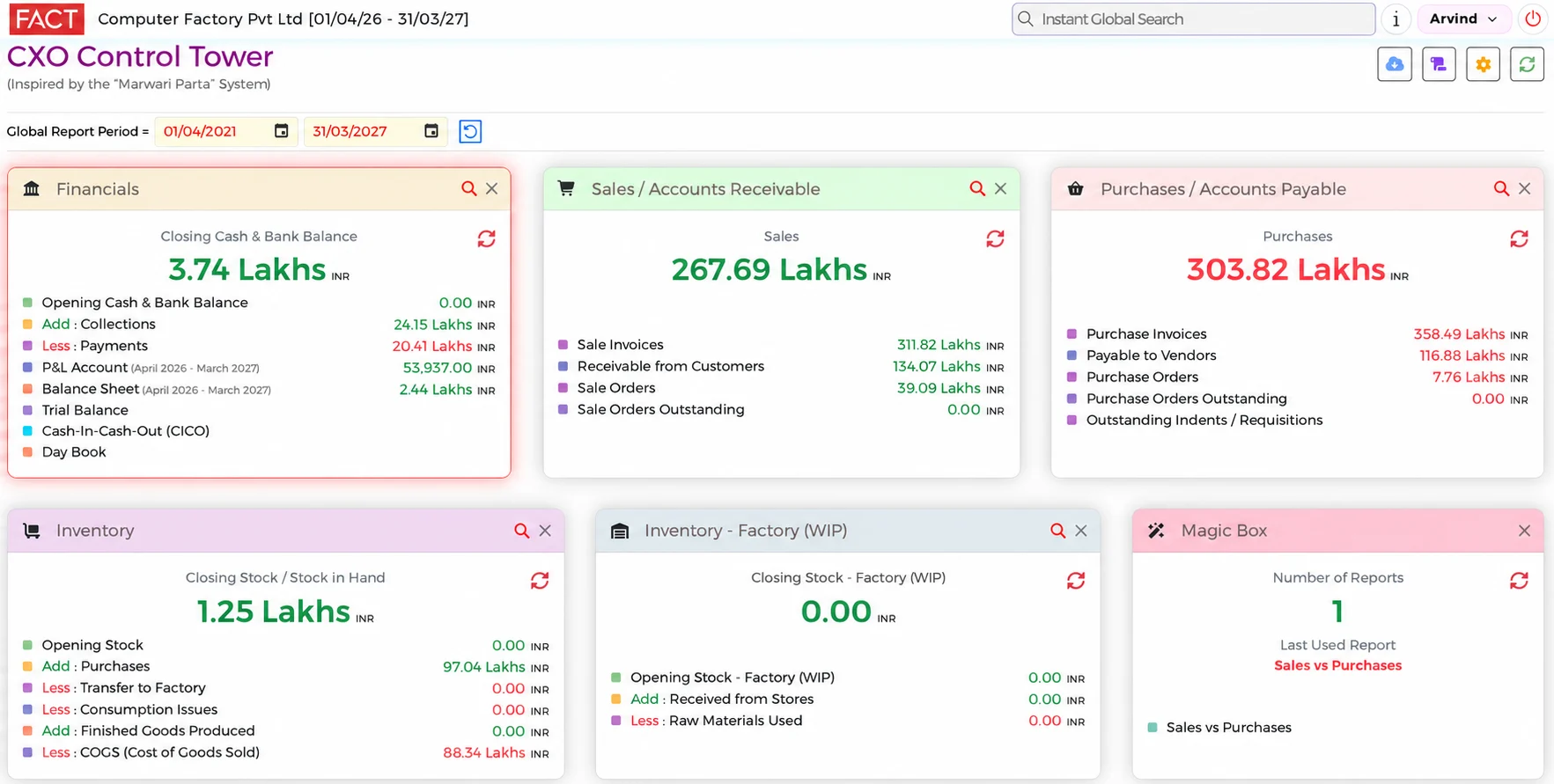
CXO Control Tower is a dashboard for businesses that keep their accounts in Tally. It imports your Tally data automatically and shows your sales, profit, cash and stock on one screen.
What is a Tally dashboard?
A Tally dashboard shows the figures in your Tally books as ready reports and charts. You check the business on a screen, without asking anyone to prepare a report.
You keep doing your accounting in Tally. CXO Control Tower imports that data automatically and delivers a dashboard with Drill-Down to the transactions from all reports.
It is pure plug-and-play: no customisation, no setup and no IT Specialist needed.
What you can do with it
- See your income, expenses, profit and cash position
- Check sales by customer and product, and the amounts still to be collected
- See your stock value and purchase figures
- Compare the current year with up to 15 earlier years
- Create your own reports with Magic Box
- Drill Down to the transactions from every report
- Use more than 80 ready reports
What you see on the dashboard
How it works with Tally
- Create your accountSign up and add your credit card.
- Find your TallyTell us the Fixed IP where Tally is installed.
- Choose your companySelect your company from the list. The system loads your data automatically.
Go live in minutes. You do not have to stop using Tally, and you do not need to buy FACT ERP.NG.
Who uses it
Business Owners
See your Tally data from work or home. Check sales, profit, cash and stock without waiting for someone to prepare the reports.
Accountants
Zero time making reports. More than 80 ready reports, and you instantly find details when someone has a question.
Chartered Accountants
Compare years in one place and Drill Down to transactions from every report. The CXO Tower team estimates that audit time will reduce by half; the time saved depends on the work needed and the quality of the accounts.
Pricing
₹5,000 per month
One company. Up to 50 users. Up to 15 years of data. Check taxes and payment terms when you sign up.
Common questions
- Do I have to stop using Tally?
- No. Keep using Tally for your accounts. CXO Control Tower imports data from Tally automatically.
- What do I have to do to start?
- Create an account and add your credit card. Tell us the Fixed IP Address where Tally is installed. Choose your company from the list. The data is then loaded automatically.
- How quickly can I go live?
- Go live in minutes. Actual loading time depends on your data and system.